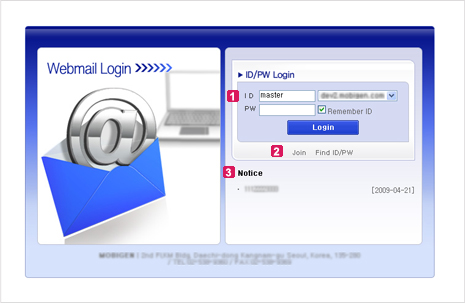
Type ID, choose domain to be used, and type password registered when you created your account. Click ‘Login’ button to sign in.
ⓑ Save ID
If user signs in after checking ‘Save ID’, next time ID will be typed in the ID box automatically. Therefore, user can conveniently sign in by typing password only.
Change Password
User can change the their password through accessing the POVIS.
[Figure 2. Change Password]
Notice / FAQ
In this field(Notice/FAQ), the recent five notices will be shown you registered.
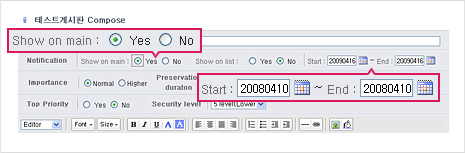
When you register notice in ‘Board Compose’ page, select ‘Yes’ in ‘Show on Main’ field and select periods.
So, a series of notices registered during a certain period of time will be shown in ‘Notice List’ field.

 Type Sign-in Information
 Change Password
 Notice / FAQ